recipeVault
Active buildThe household recipe box, minus the ads and the life stories. It is the only vault I didn't build for myself — it's for someone else in this house, who does not care what a database is and should never have to. Which is why it's the most consumer-shaped thing I've made.
Figures measured 2026-07-14.
What it does
the unglamorous part, which is the part that worksIt finds the recipe. Search runs across the title, the ingredients and the tags at once — so "chicken" finds it by name, and "gochujang" finds it by something you half-remember buying for it. Every word you type has to match, but it doesn't care which of the three it matches in. This is ordinary database substring matching rather than anything clever, and it is the part that earns its keep, because the actual problem with a recipe collection is never storing it. It's finding the one you mean, at 6pm, while something is already on the heat.
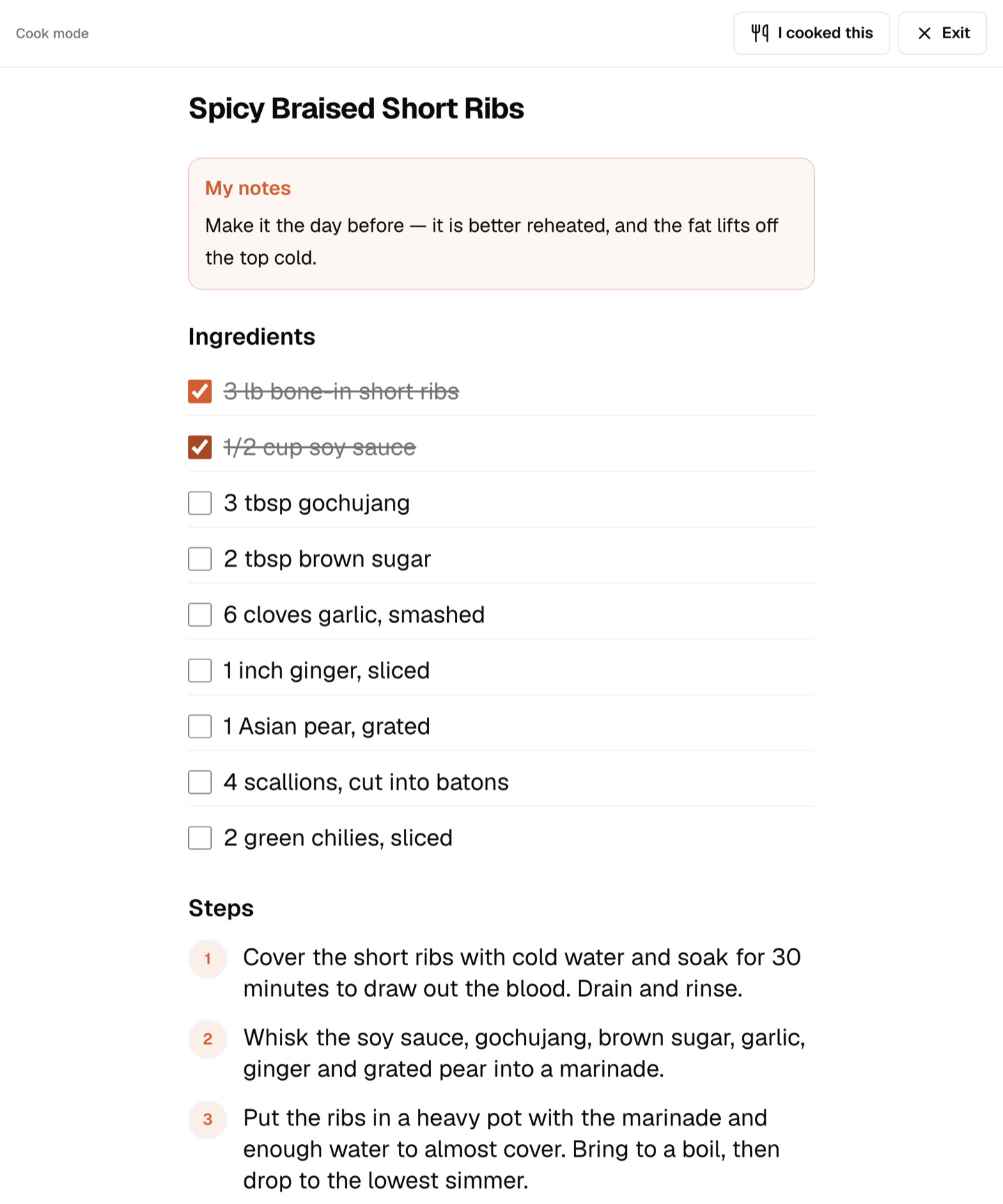
Cook mode. The screen that made this worth building. Oversized type you can read from across the counter, ingredients you tap to check off as you go, and a screen wake lock so the phone does not go dark in the middle of step four while your hands are covered in flour. It is a full-screen takeover with one obvious way out, because the person using it is not looking for a menu — she is looking at a pan.
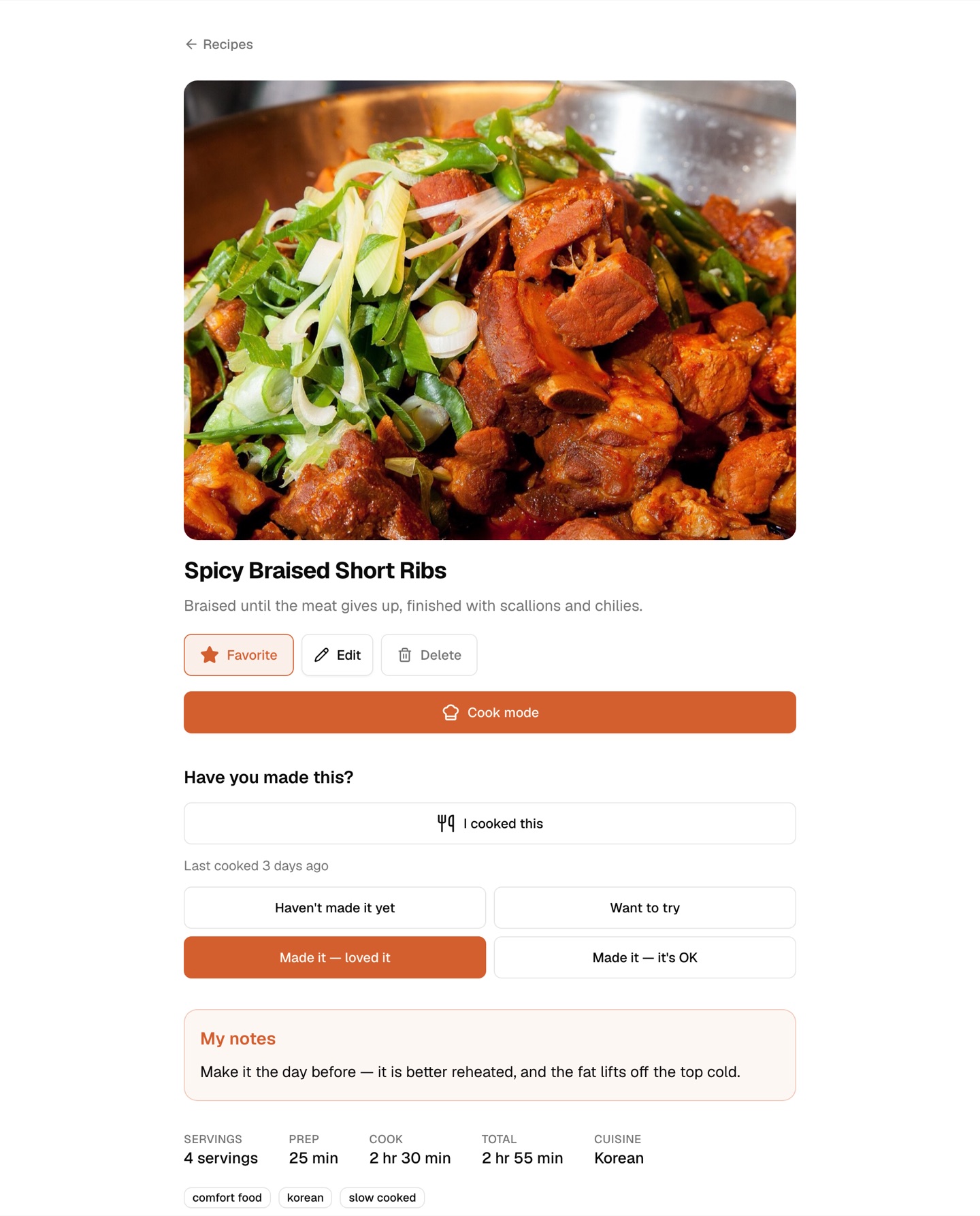
A vocabulary with an opinion. Once you've triaged a recipe it is one of three things: Want to try, Made it — loved it, or Made it — it's OK. (Until then it sits at Haven't made it yet, which is most of them.) The third option is the one that earns its place: a recipe box where everything is a triumph is a recipe box nobody trusts. "I cooked this" stamps the date, which quietly powers a sort by what the house has actually been eating lately.
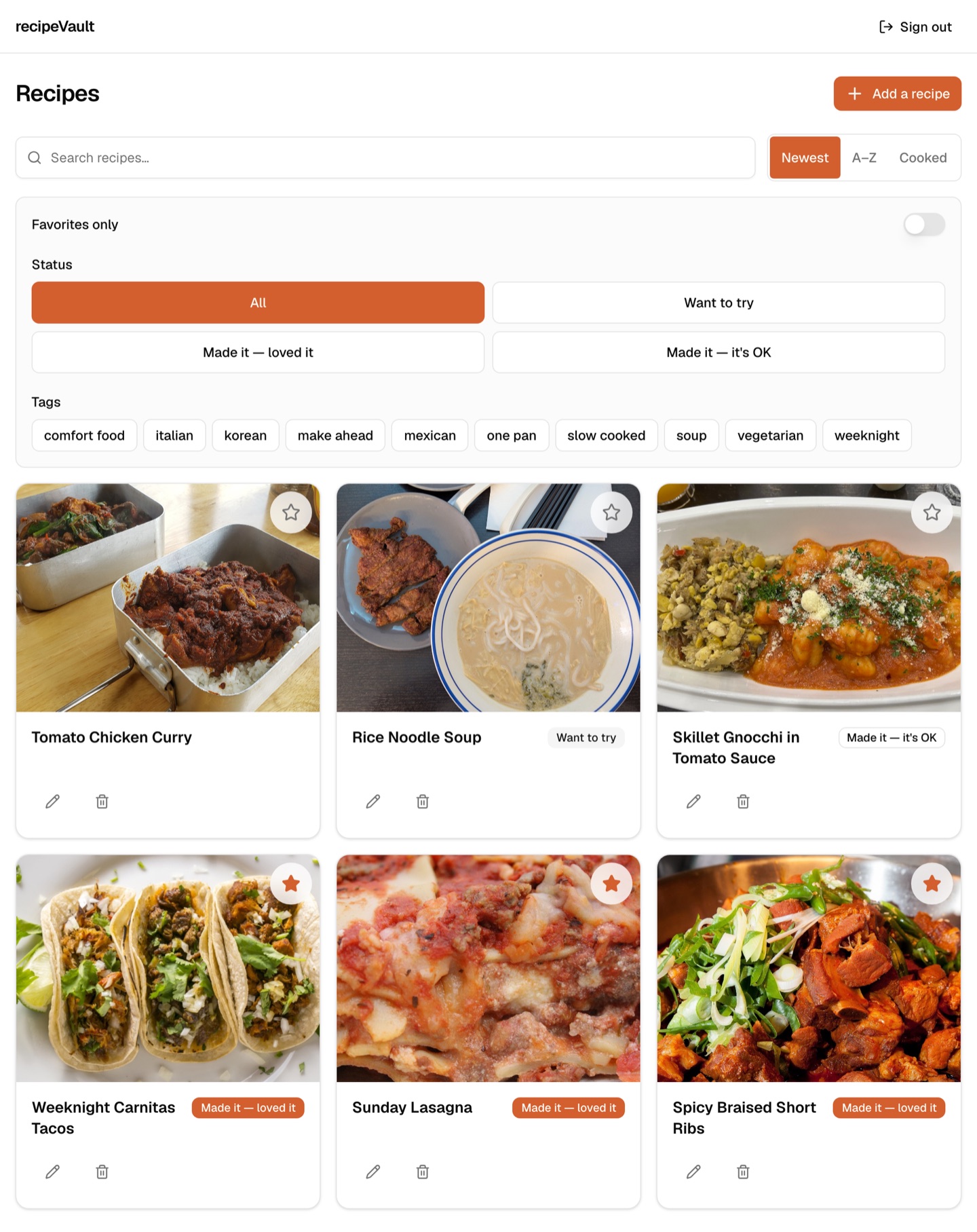
Tagging, and the rest of the boring machinery. Tags with autocomplete so the vocabulary doesn't fragment into "weeknight"/"week night"/"quick", filtering by several at once, favourites, and a photo you can attach to a recipe so the grid is something you browse rather than something you read.
Currently building: the import path. The extraction engine underneath it is real and it is tested — it parses the structured recipe data most cooking sites already publish, falls back to a language model when they don't, and reads a photograph of a recipe card when there's no page at all. What doesn't exist yet is the part that connects it to a button. Until that lands, every recipe in here was typed in by hand.
Walkthrough
real app · invented dinnersThese are screenshots of the running app, captured against a database seeded with recipes I made up. Every dish, note, quantity and timing below is fictional — the real library belongs to someone who did not volunteer it to a portfolio, and it stays where it is.
How it's built
boring on purposeIt is not deployed. It runs on a laptop, against a database on the same laptop, and the row above says so because the alternative is to claim a home server I never built. Standing it up properly is real work that hasn't been done yet.
Changes go through the same pipeline as the rest of the fleet — planned, built, reviewed by two independent AI reviewers, then opened as a pull request where an automated reviewer takes its own pass. That process is a project in its own right, and it has its own page.
What I learned
one of these deleted more code than it wroteI engineered around a phone she doesn't own. Photo upload was designed on a fact everybody treated as settled — that the person this app is for takes photos on an iPhone — and by the time it reached me it had hardened into a locked decision: convert HEIC in the browser. That meant shipping a one-to-two megabyte WebAssembly image converter into a recipe box. The premise was never checked, because "locked" makes a claim harder to question rather than likelier to be true. When somebody finally asked her, it collapsed in one sentence: she uses an Android, which shoots JPEG. The converter became zero dependencies and a friendly error message, and the feature shipped smaller than it started. The cheapest piece of research available — ask the actual user what phone she has — deleted the most expensive piece of engineering on the board. I do not get to design for someone I haven't asked.
The model that invented a recipe rather than admit it couldn't read one. Handed a photograph of a handwritten recipe card, the cheaper vision model did not say "I can't read this." It dropped the chicken, invented four ingredients, and invented six cooking steps for a card that has none — fluently, and with no hint that anything was wrong. The prompt already forbade guessing an illegible quantity. That rule had nothing to bind to, because the cause was never the prompt: the model quietly downscales a large photo before it ever looks at it, so a four-thousand pixel photo of handwriting reached it at under 40% of its linear detail, and at that size the words genuinely aren't there. The larger model — same prompt, same bytes, only a higher resolution tier — transcribed all twelve ingredients and invented nothing. When a model fails at reading, ask what it can see before you ask it to think harder. And be far more frightened of a confident answer than of an error message.